Cursor vs Windsurf: Which AI Code Editor Should Developers Choose in 2026?
Compare Cursor and Windsurf across AI code completion, agentic workflows, codebase understanding, pricing, developer experience, and multi-file editing to choose the best AI coding assistant.
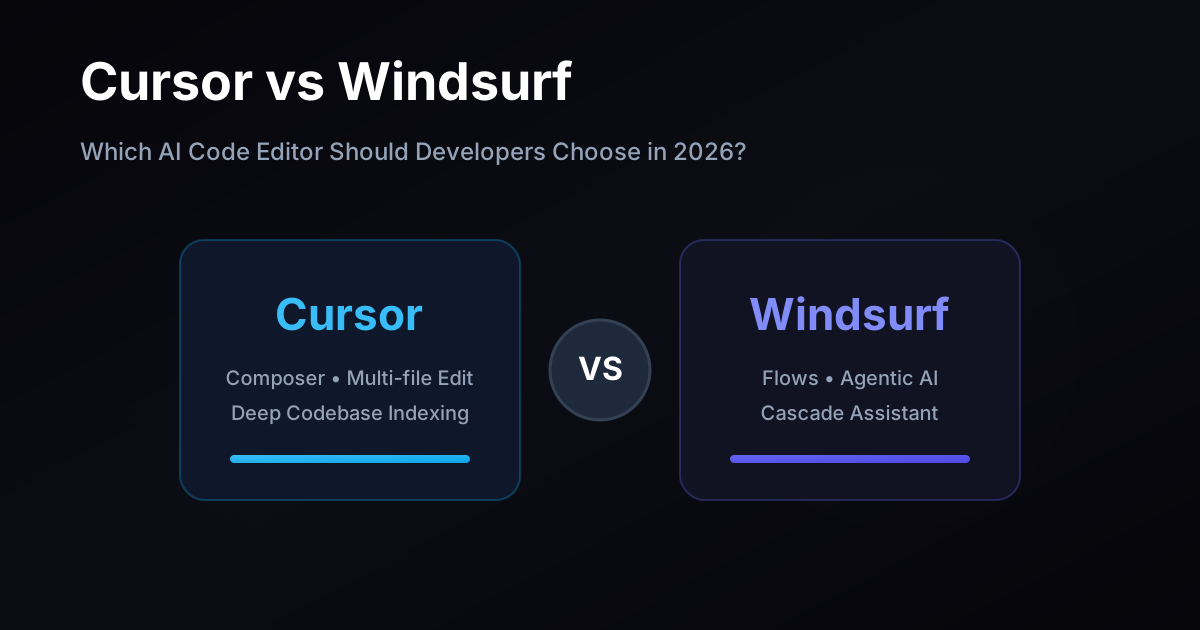
Cursor vs Windsurf: Which AI Code Editor Should Developers Choose in 2026?
AI coding tools have evolved far beyond simple autocomplete systems.
Modern AI code editors can now:
- Understand entire repositories
- Generate production-ready code
- Refactor large codebases
- Execute terminal commands
- Debug applications
- Create multi-file changes
- Plan architecture updates
- Automate repetitive engineering tasks
Two of the fastest-growing AI-native code editors in 2026 are Cursor and Windsurf.
Both platforms aim to transform how developers write software by embedding AI deeply into the development workflow instead of treating AI as a separate chatbot or browser tool.
But despite their similarities, Cursor and Windsurf approach AI-assisted development differently.
Cursor focuses heavily on refined inline coding assistance, deep codebase awareness, and productivity-focused editing.
Windsurf focuses aggressively on agentic workflows, autonomous task execution, and AI-driven multi-step development flows.
So which AI code editor is actually better in 2026?
The answer depends on:
- Your development workflow
- Team size
- AI usage style
- Repository complexity
- Trust in autonomous agents
- Multi-file editing requirements
- Productivity priorities
- Developer preferences
In this detailed comparison, we break down Cursor vs Windsurf across:
- AI code completion
- Agentic workflows
- Codebase understanding
- Performance
- Developer experience
- Multi-file editing
- Pricing
- Team workflows
- VS Code compatibility
- Real-world developer productivity
By the end of this guide, you’ll know exactly which AI editor fits your workflow best.
Table of Contents
- Key Takeaways
- What is Cursor?
- What is Windsurf?
- Core Philosophy Differences
- AI Code Completion
- Agentic Workflows
- Codebase Understanding
- Multi-File Editing
- Performance & Speed
- Developer Experience
- VS Code Compatibility
- Team Collaboration
- Pricing Comparison
- Security & Privacy
- Pros & Cons
- Comparison Table
- Best For Different Users
- Frequently Asked Questions
- Final Verdict
- Related Resources
- About the Author
Key Takeaways
- Both Cursor and Windsurf are AI-native code editors built on a VS Code-like foundation.
- Cursor is more mature in inline AI completion and predictive editing.
- Windsurf strongly focuses on autonomous AI agent workflows.
- Both tools support multi-file code generation and repository awareness.
- Cursor feels more like an enhanced developer-first editor.
- Windsurf feels more like an AI engineering agent platform.
- Codebase indexing quality matters more than marketing feature lists.
- Real productivity differences only appear during real-world project usage.
What is Cursor?
Cursor is an AI-native code editor designed to deeply integrate AI into software development workflows.
Built on a VS Code-compatible foundation, Cursor combines:
- AI code completion
- Natural language editing
- Multi-file generation
- Repository understanding
- Chat-based development
- Refactoring assistance
- AI debugging workflows
Cursor became popular because it made AI feel embedded directly into coding rather than bolted on through external plugins.
Instead of constantly switching between editor and chatbot, developers interact with AI directly inside their coding workflow.
Core Advantages of Cursor
Advanced Inline Completion
Cursor predicts logical edits across files and functions.
Deep Repository Awareness
The editor understands broader project context.
Familiar VS Code Experience
Most extensions, themes, and workflows transfer easily.
Strong Developer Productivity
Cursor optimizes everyday engineering workflows heavily.
Rapid AI-Assisted Refactoring
Developers can refactor large sections of code quickly.
What is Windsurf?
Windsurf is an AI-native development environment focused heavily on agentic software engineering workflows.
Its biggest differentiator is:
Autonomous multi-step AI task execution.
Windsurf emphasizes AI systems that can:
- Plan tasks
- Modify multiple files
- Execute commands
- Debug issues
- Iterate automatically
- Understand repositories semantically
The platform positions itself more aggressively around AI agents rather than simple autocomplete.
Core Advantages of Windsurf
Cascade Agent Workflows
AI agents can perform larger multi-step development tasks.
Multi-File Automation
Windsurf handles cross-project modifications efficiently.
AI-Oriented Engineering Flows
The platform is optimized for delegation-heavy workflows.
Strong Repository Context Awareness
AI systems reason about larger code structures.
Fast Iteration Cycles
Developers can automate repetitive engineering tasks rapidly.
Core Philosophy Differences
The biggest difference between Cursor and Windsurf is workflow philosophy.
Cursor Philosophy
Cursor focuses on:
- AI-enhanced coding
- Predictive editing
- Human-first workflows
- Developer productivity
- Inline assistance
Cursor treats AI as an advanced coding collaborator.
Windsurf Philosophy
Windsurf focuses on:
- AI agents
- Autonomous workflows
- Delegated execution
- Multi-step reasoning
- Agentic development
Windsurf treats AI more like a semi-autonomous engineering system.
AI Code Completion
Cursor AI Completion
Cursor is widely respected for its refined inline completion system.
The editor often predicts:
- Next logical edits
- Repeated code transformations
- Function patterns
- Structural refactors
Suggestions feel highly integrated into the typing experience.
Cursor’s autocomplete maturity remains one of its strongest advantages.
Windsurf AI Completion
Windsurf also provides high-quality inline completion.
The platform performs especially well for:
- Common frameworks
- Standard engineering patterns
- Multi-step edits
- AI-assisted restructuring
However, Cursor generally still feels slightly more refined in predictive inline editing.
Winner: Cursor
Cursor currently provides the more polished inline coding experience overall.
Agentic Workflows
Agentic coding is one of the biggest trends in AI development tools.
This is where Windsurf differentiates itself most aggressively.
Windsurf Cascade Workflows
Windsurf’s Cascade system enables developers to:
- Describe tasks naturally
- Delegate engineering work
- Execute multi-file modifications
- Run commands
- Validate outputs
- Iterate automatically
Example:
"Add role-based authentication across the dashboard and admin routes."
The AI may:
- Create middleware
- Update routes
- Modify APIs
- Adjust frontend logic
- Run builds
- Fix errors
This workflow feels closer to delegating work to an engineering assistant.
Cursor Agent Workflows
Cursor also supports:
- Multi-file edits
- Repository-wide refactors
- AI chat workflows
- Code generation
- Refactoring assistance
However, Cursor still feels more editor-centric than fully agent-centric.
Winner: Windsurf
Windsurf currently pushes further into autonomous AI engineering workflows.
Codebase Understanding
Codebase understanding is one of the most important AI coding factors.
Without repository awareness, AI suggestions become generic and unreliable.
Cursor Codebase Indexing
Cursor performs strong semantic indexing across repositories.
This enables:
- Better contextual suggestions
- Cross-file awareness
- Smarter refactoring
- Pattern recognition
Its repository understanding feels highly mature for medium-to-large projects.
Windsurf Codebase Indexing
Windsurf also builds semantic repository understanding.
The system is especially optimized for:
- Multi-step planning
- Dependency reasoning
- Autonomous modifications
Real-world performance depends heavily on:
- Repository size
- Framework complexity
- Language ecosystem
Winner: Tie
Both tools perform strongly, though behavior varies by project.
Multi-File Editing
Cursor Multi-File Editing
Cursor supports:
- AI-generated diffs
- Cross-file updates
- Repository-wide edits
- Intelligent refactoring
The experience feels smooth and developer-controlled.
Windsurf Multi-File Editing
Windsurf excels at larger automation flows involving:
- Multiple files
- Terminal execution
- Dependency updates
- Workflow automation
This creates a more agent-driven development experience.
Winner: Windsurf
Windsurf currently feels stronger for larger delegated workflows.
Performance & Speed
Cursor Performance
Cursor generally feels:
- Fast
- Lightweight
- Responsive
- Stable during editing
Autocomplete latency is usually very low.
Windsurf Performance
Windsurf performs well overall but agent-heavy workflows may occasionally feel more resource-intensive.
Larger autonomous flows naturally require:
- More indexing
- More reasoning
- More execution time
Winner: Cursor
Cursor generally feels slightly faster during normal editing workflows.
Developer Experience
Cursor Developer Experience
Cursor feels extremely natural for developers transitioning from:
- VS Code
- GitHub Copilot
- Standard IDE workflows
Advantages include:
- Familiar UX
- Smooth AI integration
- Low friction onboarding
Windsurf Developer Experience
Windsurf introduces a slightly different mindset:
- Delegation-first workflows
- Agent orchestration
- Multi-step AI collaboration
This can feel extremely powerful once developers adapt.
Winner: Depends on Workflow
- Traditional editing → Cursor
- Agentic development → Windsurf
VS Code Compatibility
Cursor Compatibility
Cursor maintains strong compatibility with:
- VS Code extensions
- Themes
- Keybindings
- Existing workflows
Migration friction is minimal.
Windsurf Compatibility
Windsurf also supports much of the VS Code ecosystem.
However, certain advanced workflows may behave differently depending on extensions and AI integrations.
Winner: Cursor
Cursor currently feels slightly more seamless for VS Code users.
Team Collaboration
Cursor for Teams
Cursor supports collaborative engineering workflows through:
- Shared repositories
- AI-assisted refactors
- Productivity enhancements
- Consistent developer tooling
Windsurf for Teams
Windsurf becomes particularly interesting for:
- AI-heavy engineering teams
- Automation-first workflows
- Delegated engineering systems
Its agentic approach may accelerate repetitive development work significantly.
Winner: Depends on Team Style
- Traditional engineering teams → Cursor
- AI-agent experimentation → Windsurf
Pricing Comparison
Cursor Pricing
Cursor typically offers:
- Free tier
- Pro plans
- Usage-based AI access
- Team pricing
Pricing scales based on model usage and advanced features.
Windsurf Pricing
Windsurf also follows a similar structure:
- Free usage tier
- Paid AI access
- Higher limits for advanced workflows
Pricing structures change frequently as AI infrastructure evolves.
Winner: Tie
Pricing differences matter less than workflow fit.
Security & Privacy
Cursor Security
Cursor provides:
- Repository indexing controls
- AI request handling
- Enterprise security options
- Local development workflows
Teams should still evaluate data policies carefully.
Windsurf Security
Windsurf also provides enterprise-focused security features for AI-assisted workflows.
Agentic execution systems may require additional organizational trust considerations.
Winner: Depends on Enterprise Requirements
Security evaluations should match company compliance policies.
Pros & Cons
Cursor Pros
- Highly polished inline completion
- Excellent developer experience
- Fast onboarding
- Familiar VS Code workflows
- Strong repository awareness
- Smooth refactoring tools
Cursor Cons
- Less aggressively agentic
- Smaller focus on autonomous workflows
- Some advanced flows still require manual coordination
Windsurf Pros
- Powerful agentic workflows
- Cascade automation system
- Strong multi-file task execution
- Excellent AI delegation potential
- Strong automation-first design
Windsurf Cons
- Slightly steeper workflow adaptation
- More experimental agent behavior
- Some developers may prefer more direct control
Comparison Table
| Feature | Cursor | Windsurf |
|---|---|---|
| Editor Foundation | VS Code-based | VS Code-based |
| Inline Completion | Excellent | Very Good |
| Agentic Workflows | Very Good | Excellent |
| Multi-File Editing | Very Good | Excellent |
| Repository Awareness | Excellent | Excellent |
| Performance | Excellent | Very Good |
| Beginner Friendliness | Excellent | Good |
| AI Delegation | Good | Excellent |
| VS Code Compatibility | Excellent | Very Good |
| Best For | AI-enhanced coding | AI-agent workflows |
Best For Different Users
Best for Traditional Developers
Winner: Cursor
Cursor feels more natural for developers coming from standard IDE workflows.
Best for AI Agent Workflows
Winner: Windsurf
Windsurf aggressively optimizes for autonomous engineering tasks.
Best for Large Refactors
Winner: Windsurf
Agentic multi-file execution is extremely powerful for large changes.
Best for Fast Productivity Gains
Winner: Cursor
Cursor improves daily workflows with minimal onboarding friction.
Best for Experimental AI Engineering Teams
Winner: Windsurf
Teams exploring AI-driven development workflows may prefer Windsurf’s direction.
Frequently Asked Questions
Is Cursor better than Windsurf?
Cursor is often better for traditional AI-assisted coding workflows, while Windsurf is stronger for agentic AI task execution.
Which AI code editor is better for beginners?
Cursor usually feels easier for developers transitioning from VS Code or GitHub Copilot.
Is Windsurf more autonomous than Cursor?
Yes. Windsurf focuses heavily on delegated multi-step AI workflows.
Can Cursor and Windsurf replace developers?
No. Both tools improve productivity significantly, but developers still guide architecture, validation, debugging, and decision-making.
Which tool works better for large codebases?
Both tools perform well, but actual results vary heavily depending on repository complexity and language ecosystem.
Should teams standardize on one AI editor?
Not necessarily. Many engineering teams experiment with multiple AI workflows before standardizing tooling.
Final Verdict
Both Cursor and Windsurf are among the most powerful AI-native development tools available in 2026, but they optimize for different developer workflows.
Choose Cursor if you want:
- Best-in-class inline completion
- Familiar developer workflows
- Smooth VS Code migration
- Fast productivity improvements
- AI-enhanced editing
Choose Windsurf if you need:
- Agentic AI workflows
- Autonomous task execution
- Multi-step engineering delegation
- AI-driven automation systems
- Large-scale multi-file orchestration
For many developers, Cursor currently provides the smoother day-to-day editing experience.
But Windsurf represents one of the strongest pushes toward truly agentic software engineering workflows.
Ultimately, the best AI editor depends on whether you want:
- An intelligent coding assistant or
- A semi-autonomous AI engineering collaborator
The only reliable way to decide is to test both tools directly against your real codebase, workflows, and development style.
Related Resources
- Best AI Coding Tools in 2026
- Cursor vs GitHub Copilot
- Windsurf AI Workflow Guide
- AI Agent Development Explained
- Best VS Code Alternatives for Developers
About the Author
VSNEXOS Editorial Team specializes in AI development tools, software engineering workflows, developer productivity systems, modern IDE ecosystems, and scalable engineering infrastructure.
The team creates technical guides, developer tool comparisons, AI workflow resources, and software engineering tutorials for startups, enterprises, and developer teams.
Building enterprise SaaS for Indian businesses from Hyderabad.
LinkedIn